
No extra work
Just tick or buy items while shopping. WizTick learns from your normal grocery routine.
Ticked and bought items teach WizTick the order you shop. Choose your supermarket, and WizTick places your next items in a smarter order so you can move through the aisles with less back and forth.
Download WizTick on Google Play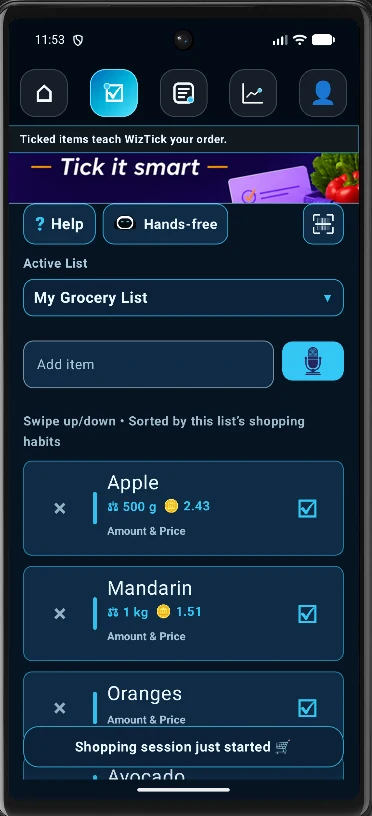
Just tick or buy items while shopping. WizTick learns from your normal grocery routine.
Your next list is prioritized around the order you usually move through the store.
Select the supermarket or grocery store you are visiting and let WizTick prepare the pathway.
Every item you tick or buy teaches WizTick something about your shopping order. Over time, those small actions build a simple ecosystem of grocery habits that helps your list become more useful without asking you to organize everything manually.
Instead of forcing you to drag items into categories or rebuild your list before every trip, WizTick remembers how you shop and automatically places items in a smarter order for your next grocery session.
The goal is practical: fewer forgotten aisles, less walking back and forth, less scrolling, and a calmer supermarket visit.
All you have to do is select the supermarket or grocery store you are visiting. WizTick uses your shopping history to help order the list for that session.
Select which supermarket or grocery store you are visiting.
The order you tick items helps WizTick understand your real path.
Next time, WizTick can prioritize items closer to your usual route.
Let WizTick build your next grocery pathway automatically.
Open on Google Play